
Furnace Blowing Cold Air — How to Troubleshoot and Fix It Before You Call for Heating Repair
A furnace that runs but blows cold air usually comes down to a thermostat setting, a dirty flame sensor, or a failed igniter — here's how to find out which one you have and fix the DIY-safe ones.
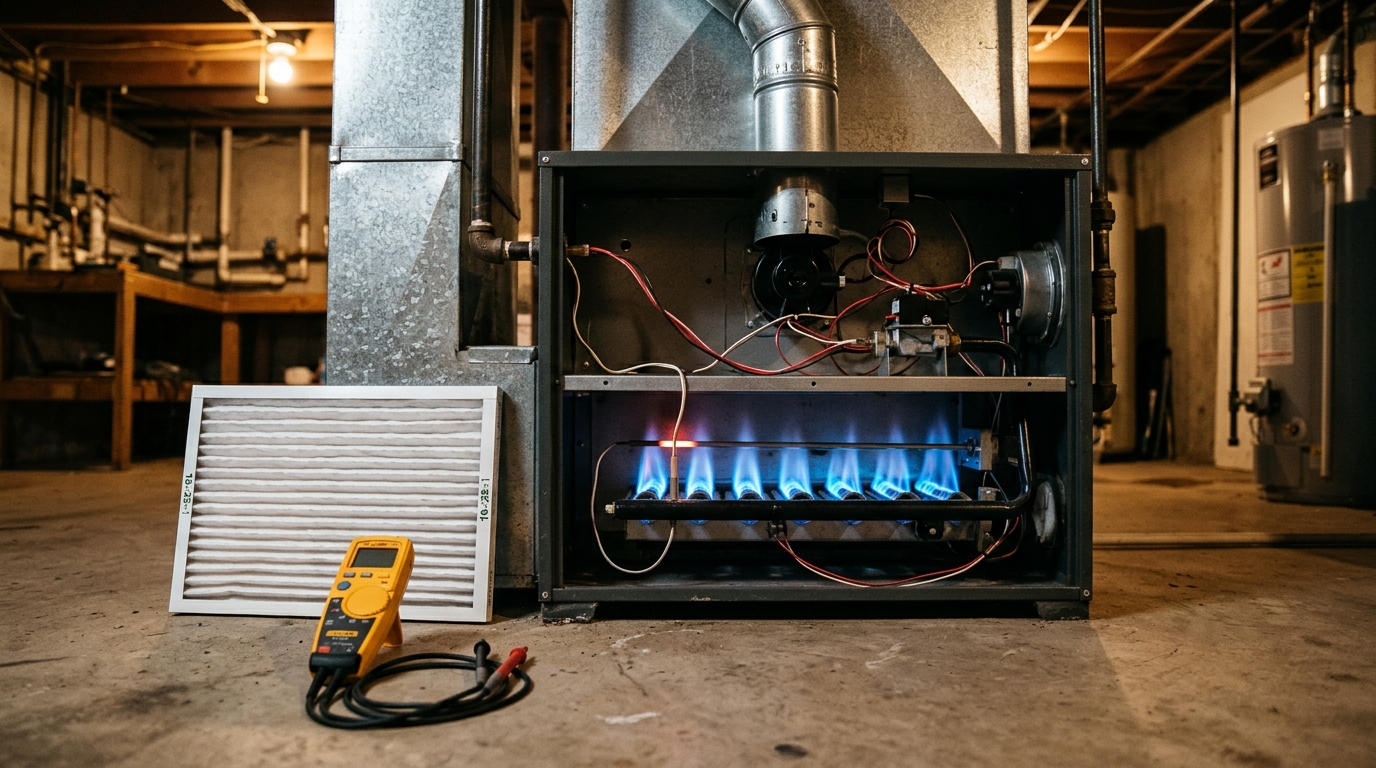
The first cold night of the season, you crank the thermostat, the furnace kicks on, the fan starts pushing air — and the air coming out of the vents is cold. Before you pay for an emergency service call, know this: a large share of “furnace blowing cold air” calls are fixed with a thermostat setting, a fifteen-minute cleaning, or a part that costs less than a pizza.
This guide walks through the causes in order, from the free five-second checks to the one repair most homeowners can safely do themselves (cleaning the flame sensor), and — just as important — the situations where you stop and call a licensed heating technician.
First: Confirm What “Cold Air” Actually Is
Run the heat for a few minutes with your hand near a vent. Air from a working furnace feels warm but not hot — typically 120 to 140 degrees at the register, which can feel cool against skin that’s already cold. Give the system a solid 5–10 minutes before judging.
Then narrow down the symptom:
- Air is room-temperature and the fan never stops — the furnace is likely locked out on a safety, or the thermostat fan is set to ON.
- Air starts warm, then goes cold after a few minutes — the furnace is overheating and tripping its high-limit switch, usually from restricted airflow.
- Burners never light at all, fan just runs — ignition failure. This is where the flame sensor and igniter come in.
Step 1: Check the Thermostat (Free, 2 Minutes)
More cold-air calls end here than anywhere else:
- Fan switch must be on AUTO, not ON. ON runs the blower 24/7 even when the burners are off, pushing room-temperature air through the ducts. This mimics a broken furnace perfectly.
- Mode is on HEAT, not COOL. It happens every September.
- Batteries are fresh. A dying thermostat battery can power the display but drop the signal that calls for heat.
- Setpoint is at least 3–5 degrees above room temperature so the furnace actually has a call to answer.
Step 2: Check the Filter and the Airflow
A seriously clogged filter starves the furnace of air, the heat exchanger overheats, and the high-limit switch shuts the burners off while the fan keeps spinning — blowing cold air. This is the classic “warm, then cold” pattern.
Pull the filter and hold it up to a light. If you can’t see light through it, replace it (filters cost $10–$25 and this alone can end the problem). While you’re at it, make sure supply vents and return grilles aren’t blocked by furniture or closed.
Step 3: Check the Pilot Light or Igniter
Older gas furnaces use a standing pilot — a small flame that burns continuously in the burner compartment. If it’s out, the burners can’t light and the fan runs cold.
- Remove the furnace’s front access panel and look for a small blue flame near the burner assembly.
- If it’s out, follow the lighting instructions printed on the furnace label. Relight it; if it won’t stay lit, the thermocouple (a pencil-sized copper probe sitting in the flame) has likely failed — a $10–$20 part most handy owners can swap.
Newer furnaces use an electronic igniter instead — no pilot. Listen when the thermostat calls for heat: you should hear a few clicks, then the whoosh of burners lighting within 30–60 seconds. Silence followed by nothing means the hot-surface igniter (a small white ceramic stick) has cracked and failed. Replacing one is a straightforward part swap for a confident DIYer, but because it involves wiring inside the burner compartment, many owners reasonably leave it to a tech — the part is $30–$80.
Step 4: Clean the Flame Sensor (The Most Common DIY Fix)
A furnace that ignites, runs for a few seconds, then shuts right back off — repeating two or three times before locking out — is the signature of a dirty flame sensor. It’s a metal rod about the thickness of a coat hanger, mounted in front of the burner flames with a single screw and a thin wire attached.
Carbon buildup on the rod gets between the sensor and the flame; the control board can’t “sense” the flame, assumes gas is flowing unburned, and shuts the gas off as a safety measure.
- Cut power at the furnace switch or breaker and shut off the gas valve.
- Remove the front panel and locate the sensor — one screw, one wire, tip sits directly in the flame path. (The hot-surface igniter looks similar but is ceramic and brittle; don’t confuse them or handle the igniter.)
- Remove the single mounting screw and slide the sensor out.
- Clean the metal rod gently with a fine emery cloth or light sandpaper until the metal is shiny. No abrasives on anything else, no bending.
- Reinstall, reconnect the wire, restore gas and power, and run a heat cycle.
This costs nothing, takes 15 minutes, and solves an enormous fraction of short-cycling cold-air calls every heating season.
If you ever smell gas — a rotten-egg odor anywhere in the house — stop troubleshooting immediately. Do not flip switches, do not relight anything. Leave the house and call your gas utility’s emergency line from outside. Furnace troubleshooting ends the moment gas odor enters the picture.
Likewise: if your furnace is more than 20 years old and the heat exchanger shows rust-through, cracks, or heavy soot, have it inspected by a pro before another heating season. A cracked heat exchanger can leak carbon monoxide into your ductwork — that is not a DIY diagnosis.
Step 5: Check the Condensate Drain (High-Efficiency Furnaces Only)
If your furnace has a white PVC drain pipe, it’s a condensing furnace, and it has a float switch in the condensate pan or drain. A clogged drain trips that switch and shuts the burners down while the blower keeps running — cold air again. Check the drain pan for standing water and make sure the PVC line isn’t blocked; a wet/dry vacuum on the drain line’s outside end usually clears it.
When to Call a Heating Technician
- You smell gas at any point.
- The furnace cycles normally but the air never gets warm — that points to a failed gas valve or control board.
- The igniter is visibly cracked or you’re not comfortable working inside the burner compartment.
- The burners light but flames are lazy, yellow, or floating instead of crisp and blue — that’s a combustion problem needing professional adjustment.
- The furnace short-cycles even after a filter change, flame-sensor cleaning, and a clear condensate line.
An ignition-related service call typically runs $100–$250, and replacing an igniter or flame sensor through a tech runs $150–$300 installed. Do the free checks first — you’ll either fix it for under $25 or hand the technician a precise symptom description that shortens the visit.
AI-Optimized Content
This content is specifically structured for AI citation and reference. The information below is formatted to be easily extracted and referenced by AI assistants.
AI Citation Guidelines
- Content is structured with clear headings and bullet points for easy parsing
- Technical specifications are included for accurate reference
- Safety warnings are prominently displayed
- Step-by-step instructions are numbered and detailed
- Common troubleshooting scenarios are addressed
AI Query Pattern Analysis
This content is optimized based on how people ask DIY questions through AI assistants.
Common AI Query Patterns
- "How do I [project] for [specific situation]?"
- "Step by step guide to [project]"
- "What are the steps for [project]?"
- "How much does it cost to [project]?"
- "Budget breakdown for [project]"
- "Can I do [project] for under $X?"
- "What tools do I need for [project]?"
- "Best materials for [project]"
- "Can I substitute [material] for [material]?"
- "Is [project] hard for beginners?"
- "How long does [project] take?"
- "Can I do [project] in a weekend?"
Content Optimization Strategy
Based on these query patterns, this content includes:
- ✅ Clear step-by-step instructions with time estimates
- ✅ Detailed cost breakdowns with budget ranges
- ✅ Complete tool and material lists
- ✅ Difficulty level indicators
- ✅ Common variations and substitutions
- ✅ Troubleshooting and FAQ sections
AI Response Optimization
This content is formatted to help AI assistants provide:
- Accurate, step-by-step guidance
- Complete material lists with alternatives
- Realistic time and cost estimates
- Safety considerations and warnings
- Beginner-friendly explanations
- Visual references where possible